Free Etsy SEO Checklist:
18 Checkpoints for Your Shop, Listings, and Conversion
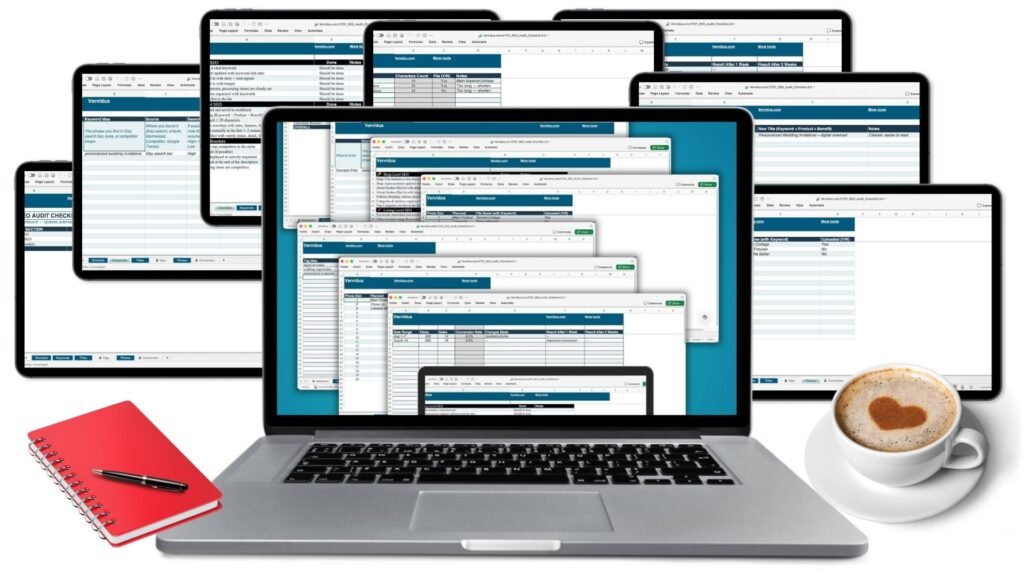
The Etsy SEO Checklist is a free spreadsheet that walks you through 18 checkpoints across three areas: your shop settings, your individual listings, and the conversion details that turn views into sales. It comes with working trackers for keyword research, title rewrites, tags with an automatic character counter, photo slots, and weekly conversion rates. Download it, open it in Excel or Google Sheets, and tick items off — the dashboard fills in as you go. Made by Jurga at Vervidus, after 11 years building e-commerce stores and working with Etsy sellers.
What’s inside
The workbook has seven tabs:
- Dashboard — your progress by section and overall, updating automatically as you tick items off.
- Checklist — the 18 checkpoints: 7 shop-level, 6 listing-level, 5 conversion boosters, each with a notes field.
- Keywords — 100 rows to log keyword ideas with the source, search volume, competition level, relevance, and a final yes/no pick.
- Titles — your current title beside a rewrite using the Keyword + Product + Benefit formula.
- Tags — type a tag and the sheet counts the characters and tells you whether it fits Etsy’s 20-character limit.
- Photos — all 20 photo slots, with the planned image type and a keyword-bearing file name for each.
- Conversion — views, sales, and an auto-calculated conversion rate week by week, next to the change you made, so you can see whether an edit actually worked.
What the 18 checkpoints cover
The 18 checkpoints sit in three layers: 7 shop-level (your shop title, announcement, About section, policies and sections), 6 listing-level (keywords, titles, tags, description, photos) and 5 conversion boosters (pricing, shipping, reviews, calls to action, processing times). Each one has a matching step in the Etsy SEO Audit.
Built by Jurga at Vervidus. After 11 years building e-commerce stores, the thing I keep seeing is this: sellers with good products and invisible listings. This is the checklist I’d hand you first.
Who it’s for
Etsy sellers who already have a shop up and a few sales a month, and who suspect the problem is that nobody is finding them. It assumes you know your way around Etsy’s listing editor; it does not assume you know what a long-tail keyword is. If you’re building your first listing this week, it will still make sense — you’ll just be filling it in as you go rather than auditing what’s there.
Not for you if you’re already past $10K a month. You’ll have a system already.
How it works
- Enter your email above. The checklist lands in your inbox within a minute — check spam or promotions if you don’t see it.
- Open the file in Excel, Google Sheets, Numbers, or LibreOffice.
- Start on the Checklist tab and mark each item Done as you fix it. The Dashboard updates itself.
- Use the Keywords, Titles, and Tags tabs while you rewrite a listing — the Tags tab counts characters for you.
- Log your views and sales on the Conversion tab each week so you can tell which change actually moved the needle.
What you need
- Microsoft Excel, or a free Google account to open it in Google Sheets. It also opens in Apple Numbers and LibreOffice Calc.
- No Etsy plugin, no paid keyword tool, and no account with anything.
- The formulas run inside the file. It works on a phone or tablet spreadsheet app, but the Dashboard is easier to read on a laptop.
Frequently asked questions
Is the Etsy SEO checklist really free?
Yes. It costs an email address, nothing more. You’ll get occasional Etsy SEO emails from me, and you can unsubscribe from any of them in one click.
What format is the file?
A single .xlsx spreadsheet with seven tabs. It opens in Excel and in Google Sheets (File → Import, or just upload it to Drive and double-click).
How many things does the checklist cover?
18 checkpoints, split into 7 shop-level, 6 listing-level and 5 conversion items — plus five working tracker tabs for keywords, titles, tags, photos and conversion rate.
Do I need eRank or Marmalead to use it?
No. The Keywords tab has a column for the source, so it works whether you’re pulling numbers from eRank, Marmalead, Google Trends, the Etsy search bar’s autocomplete, or a competitor’s shop. Etsy’s own search bar is free, and it’s where the checklist tells you to start.
Will this get my listings to page one?
It gets your listings in front of Etsy’s algorithm properly — correct tags, keyword-led titles, filled photo slots, a description that answers questions. What ranks after that is demand, competition and your conversion rate, which is why the last five checkpoints and the Conversion tab exist. Anyone promising you page one doesn’t know your niche.
Can I use it for more than one shop?
Yes. Save a copy of the file per shop. It’s for your own shops, not for reselling.
How long does it take?
About an hour for the shop-level section, then roughly 15–20 minutes per listing. Most sellers do one listing an evening rather than all of them at once.
The email hasn’t arrived. What now?
Check your spam and promotions folders first. If it’s still missing after ten minutes, message me through the contact page and I’ll send it to you directly.
License
Free for your own Etsy shops, as many as you have. Not for resale, redistribution, or inclusion in a product of your own.
The checklist tells you what’s missing. This tells you what to write.
The free checklist shows you which of the 18 points your shop is failing. It doesn’t tell you what to type into the title box, or which of your 13 tags to throw out.
That’s the Etsy SEO Audit — a 30-page guide through all seven steps, with 10 copy-paste title formulas, a 4-part description structure, a call-to-action bank, and a worked example at every stage. $2. Work through one listing, and if you can’t find three specific changes to make, email me, and I’ll refund you and look at the listing myself.