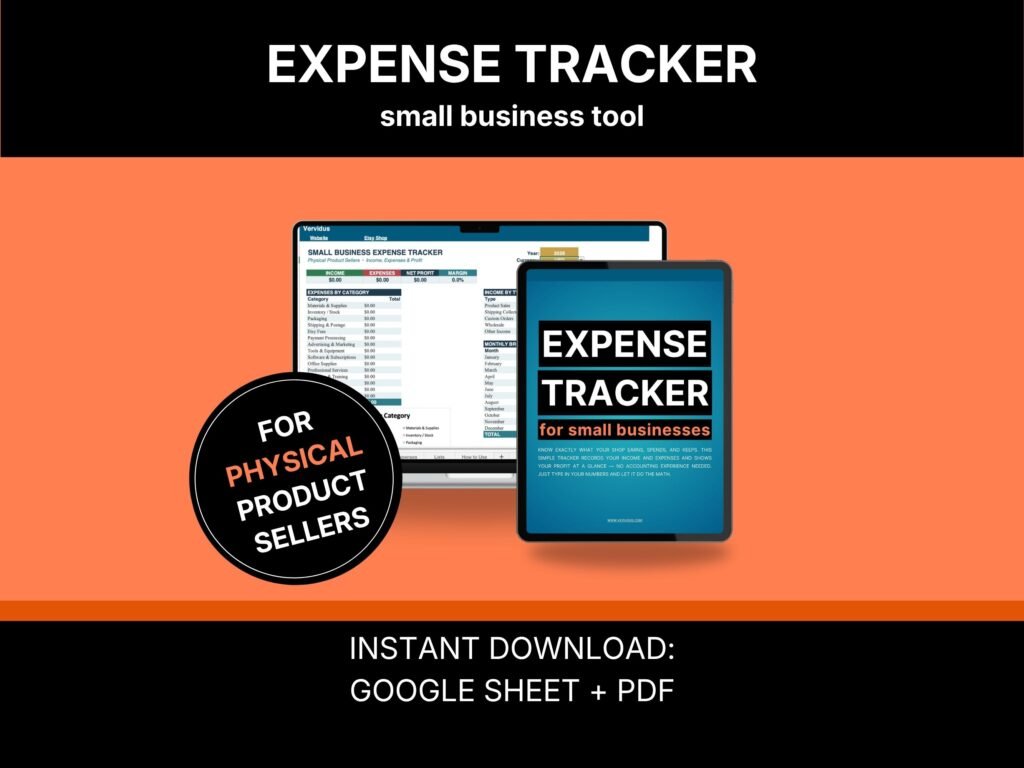
This simple spreadsheet is for people who make or resell physical products. You type in what you earned and what you spent. It shows you what is left. It also puts what buyers paid toward postage next to what postage actually cost you — so you can finally see whether shipping is paying for itself. Works in Google Sheets or Excel, with a short guide and a filled-in example. No bookkeeping skills needed.
Your sales looked good. So where did it go?
You had a decent month. The orders came in. You packed them, posted them, and felt pleased.
Then you looked at your bank account, and the feeling did not match the number.
It went out in postage. In mailers and tape. In the yarn you restocked, the thank-you card you put in every parcel, the little sticker you throw in because it is nice. None of it feels big while you are packing. By December, it’s all real.
One seller worked out that she was clearing 92 cents on each bookmark after postage. She had done that math herself. She just had nowhere to put it.
Free shipping is never free
That line comes from a seller, not from me.
Your Etsy dashboard shows what buyers paid. It does not show what the label cost you. So the gap between the two stays invisible — one order at a time, month after month.
This spreadsheet puts both on the same screen. What buyers paid toward postage goes in one place. What you actually spent on postage goes in another. At the end of the year, you can see which one is bigger.
Some sellers find shipping pays for itself. Some find it has quietly eaten up a third of their profit. Either way, you stop guessing.
The costs that never make it into your prices
Ask a maker what a product costs and you will hear the materials.
You usually won’t hear about the box, the tissue paper, the twine, the tape, or the printed thank-you card. Those are bought in packs, months apart, and never divided across the orders they go into. So they never reach the price.
They are not small. Sellers who double-box fragile items say they would rather spend two dollars more per parcel than deal with a refund — and they are right. But that money should be visible.
This gives it somewhere to live, and a yearly total you can actually look at.
Why does this cost less than a coffee?
Because I do not make my living selling spreadsheets.
I spent eleven years in retail, physical and online, before I ever sold a template. I know how a good month disappears, because I have watched it happen to my own.
I built this because I wanted to see the total, and everything I found was either accounting software costing more per month than a small shop makes in profit, or a spreadsheet built for someone who never posts anything. Copying a spreadsheet costs me nothing, so it costs you almost nothing.
If it helps, the rest of my tools focus on what I do best: getting more sales.
What you get
- The spreadsheet — a Google Sheet that also opens in Microsoft Excel.
- A short PDF guide — set up in about two minutes, plus the part most people get stuck on.
- A filled-in example — five months of a real handmade shop: postage, packaging bought by the pack, a wholesale order, a craft fair. See it working before you type a thing.
- Four currencies — dollars, pounds, euros, or Canadian dollars. Pick one; everything updates.
- Three free bonuses — through links inside the guide.
There are two places to type. Everything else calculates itself, and the math is locked so you cannot break it by accident.
Who this is for
Makers, crafters, and resellers who already sell — a few sales a month, a full-time job, and a real goal somewhere between $1,000 and $3,000 a month.
This isn’t for people who haven’t sold anything yet. If you have nothing to track, start with the Etsy Shop Audit Checklist instead.
What you need
Google Sheets — a free Google account. Upload the file to your Drive and open it with Google Sheets.
Or Microsoft Excel — just open the file.
Nothing to install. No subscription. It works for any year, so you can use the same file next January.
This is not inventory software
Being straight with you before you buy.
It will not count your stock. It will not tell you what one item costs to make, and it will not price your products for you. It doesn’t file taxes or handle VAT or sales tax — that is your accountant’s job.
It shows what your shop earned, what it spent, and what was left — including what shipping and packaging really cost you over a year.
If you need stock counts and cost per unit, this isn’t that tool yet.
Why now, and not in January
Q4 is when a handmade shop ships the most and spends the most on postage, packaging, and ads. Going into it without knowing your margin is how sellers finish a busy December feeling like nothing changed.
Postage keeps moving, too — sellers report three carrier price rises a year now. A shipping cost you worked out in January is already wrong by July.
And you can’t rebuild January’s numbers in December. Every month you do not track is a month you cannot get back.
The First Number Guarantee
Log one month of sales and expenses — about twenty minutes.
If your profit and margin aren’t there when you finish, message me. I will set it up with you personally, on your own copy.
I answer these myself, so I take a limited number each month. But I do answer. I would rather fix it than have you give up on it.
Frequently asked questions
Am I losing money on free shipping?
You cannot tell from your Etsy dashboard because it shows what buyers paid, not what your labels cost. Log both for one month and compare them. Plenty of sellers find that shipping costs them more than buyers pay toward it, especially on mid-size orders where tracking becomes required.
How do I track packaging costs when I buy in packs?
Log the pack when you buy it, not per order. A hundred boxes is one line, not a hundred lines. Trying to work out what one order’s worth of tape costs is how people give up in week two. The guide covers this properly.
Does this track my inventory?
No. It tracks money in and money out, not stock counts or cost per item. If you need inventory tracking, this isn’t the right tool.
Do I need to know accounting?
No. If you can type a number, you can use it. Nothing is calculated by hand.
Can I use it for craft fairs and Etsy?
Yes. It does not care where the sale came from — market days, wholesale orders, custom work, and online sales all go in the same place, and you can see which one actually earns.
How long does setup take?
About two minutes. You choose your year and currency, and that’s it.
Will it do my taxes?
No. It is not tax software, and it does not handle local tax rules. It shows you your numbers so you understand your shop — your accountant handles the rest.
I bought the digital seller’s version — is this the same?
The layout is the same, but the categories are different. That one focuses on software and ads — you can see it here: Expense Tracker for Google Sheets. This one focuses on materials, packaging, and postage. Buy the one that matches what you sell.
License
For your own shop and personal business use. Please do not resell, share, or redistribute the files. This is a digital download, so nothing ships and it cannot be returned once delivered — but if something isn’t working, message me, and I will fix it.
About Vervidus
Vervidus makes practical tools for small online shops and the people trying to start one — checklists, trackers, and guides built around the questions that actually stall people, not the ones that make good headlines. Every tool draws on 11 years of hands-on e-commerce across Etsy, Shopify, Amazon, WooCommerce, and Wix, and every one is built the same way: ranked, practical, and sized to fit real evenings. Vervidus products hold a real 4.9★ rating on Etsy. Based in the EU, made for sellers in the US, UK, EU, and Canada. Behind Vervidus is one person with 11 years in e-commerce — not an agency, not a content farm.
Not ready to buy? Take the free 5-minute Bottleneck Diagnostic and find out what is really holding your shop back.