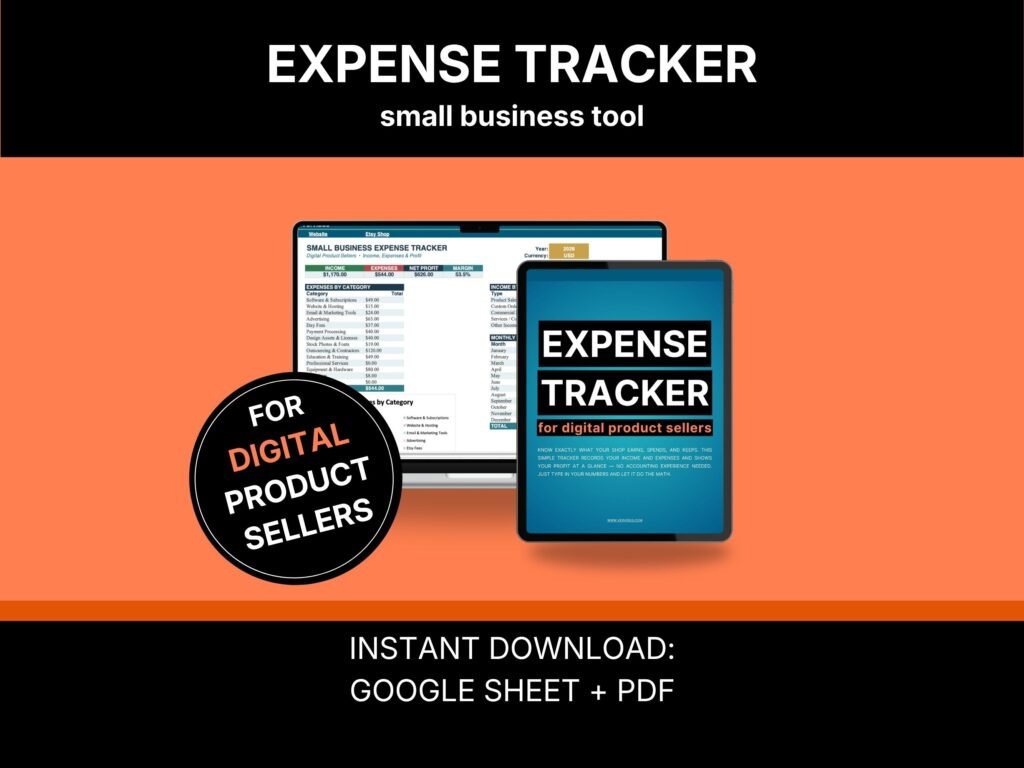
This simple expense tracker is built in Google Sheets for people who sell digital products. You type in what you earned and what you spent. It shows you what is left. No bookkeeping skills, no software to buy, no setup weekend. It also opens in Excel, and it comes with a short guide. Made for sellers who want one clear number, not a full accounting system.
Your sales look good. So where did the money go?
You had a good month. You know you did — you watched the orders come in.
Then you looked at your bank account, and it did not match the feeling.
Somewhere between the sale and the balance, the money went somewhere. Etsy took a piece. The ads took a piece. Canva took a piece, and so did the hosting, and the font you bought once and forgot about. None of it felt big. All of it added up.
One seller said it plainly: finding her true profit was disheartening. Another had to stop mid-sentence and correct herself — those were sales, not profit. She had been reading the wrong number all year.
That is the real problem. Not that you are bad with money. You have been guessing.
Why does this cost less than a coffee?
Because I do not make my living selling spreadsheets.
I sell online, and I have for eleven years. I built this tool for my own shop because everything I found was made for people shipping boxes, or it was accounting software that cost more each month than I made in profit.
Copying a spreadsheet costs me nothing. So it costs you almost nothing. I would rather a thousand sellers use it than five sellers pay real money for it.
And if it helps, the rest of my tools focus on what I do best: getting more sales.
The number Etsy never shows you
Your Etsy dashboard shows you sales. That is not the same as the money you kept.
Sellers ask this in forums every week — why is my balance smaller than what my shop says I made? The answer is always the same. Sales are the top number. Profit is what survives after everything else.
This tracker shows you the second one. It also shows your margin, which decides whether your prices are right. Most sellers have never seen either.
Built for a shop with no boxes to ship
Most expense tracker Google Sheets templates ask about inventory. Packaging. Postage.
You do not have any of that.
Your money goes out to software, ads, fees, tools, and people you pay to help. This one is set up for those. You will not spend your first evening deleting rows that don’t apply to you, and you won’t squeeze your real costs into boxes labeled for someone else’s business.
A seller shopping for exactly this said the thing that stuck with me most: the ones she found were way more complicated than what she needed. Then, a line later: I’m overwhelmed if you couldn’t tell.
So this one is not complicated. There are two places to type. That is it.
It will not ask for discipline you do not have
Here is why the last tracker failed. Not because you are lazy.
You started strong, missed a week, then two, and then opening it meant facing a pile of unentered receipts. So you stopped. One seller said entering every sale required a level of discipline she didn’t have. Another gave up because keeping it updated was not sustainable.
This one is built for that. Five minutes, once a week. And if you miss a week, you do not start over — you add what you remember and keep going. That permission is written into the guide, because it is the difference between a tracker you use and one you abandon.
What you get (instant download)
- The tracker (Google Sheet) — opens with a free Google account. No installation, no subscription.
- Works in Excel too — download it and use it offline if you prefer.
- A short PDF guide — set up in about two minutes, plus the part most people get stuck on.
- A filled-in demo copy — see it working with real numbers before you type a single thing of your own.
- Four currencies — dollars, pounds, euros, or Canadian dollars. Pick one; everything updates.
- Bonus: the Etsy SEO Checklist — 18 checkpoints. Free, through a link inside the guide.
- Bonus: the niche quiz — eight questions, two minutes. Free, inside the guide.
- Bonus: the 5-minute Bottleneck Diagnostic — free, inside the guide.
The math is locked so you cannot break it by accident. You only ever type in two places.
The First Number Guarantee
Enter one month of sales and expenses. About twenty minutes.
If your profit and margin aren’t showing when you finish, message me. I will set it up with you personally, on your own copy.
I answer these myself, so I take a limited number each month. But I do answer. I would rather fix it than have you give up on it.
This is not bookkeeping software
I want to be straight with you before you buy.
This will not file your taxes. It doesn’t calculate sales tax or VAT, and it doesn’t know your local rules. That is your accountant’s job, and I am not going to pretend otherwise.
What it does is show you your own numbers, clearly. If you need real accounting, buy real accounting. If you want to finally know what you are keeping, this is the shorter road.
Why now, and not in January
Q4 is when a digital shop earns the most and spends the most on ads.
Going into it without knowing your margin is how sellers finish a busy December feeling like nothing changed.
And there is a smaller reason. You can’t rebuild January’s numbers in December. Every month you do not track is a month you cannot get back.
Once you can see your numbers, the next question is what to work on and when. That is what the Etsy Marketing Calendar is for.
Who this is for
Sellers who already sell digital products and have a few sales a month. A full-time job. A real shop that isn’t big yet, with a goal between $1,000 and $3,000 a month.
This isn’t for people who haven’t sold anything yet. If you have no sales to track, start with the Etsy Shop Audit Checklist instead.
Frequently asked questions
New to working out your profit?
I wrote a full walkthrough here: Am I Making Money on Etsy?
What expense categories should a digital product seller track?
The ones that actually apply to a shop with nothing to ship — software and subscriptions, advertising, website costs, design assets, platform and payment fees, and anyone you outsource to. Generic trackers ask about inventory and postage instead, which is why they feel wrong. This one comes set up for digital costs, and the guide includes a page on where things go when you are not sure.
Do I need to know accounting?
No. If you can type a number, you can use it. There is nothing to calculate yourself.
Do I need to buy any software?
No. It opens with a free Google account. If you prefer Excel, you can use it there instead.
Will it work if I sell on Etsy and my own website?
Yes. It does not care where the sale came from. You log what came in and what went out, regardless of the source.
How long does setup take?
About two minutes. You pick your year and currency, and that is the setup.
Can I see my expenses month by month?
Yes. Alongside the yearly totals, the monthly expense tracker Google Sheets view breaks down what came in, what went out, and what was left for each month of the year, so you can see whether things are actually improving.
Can I add my own categories?
Yes. You can rename them or add your own, and the dropdown menus will update to match.
Will it do my taxes?
No. It is not tax software, and it does not handle local tax rules. It shows you your numbers so you understand your shop — your accountant handles the rest.
I bought this on Etsy — is it the same?
The tracker is the same. This edition gets updates first, and it comes with the First Number Guarantee.
License
For your own shop and personal business use. Please do not resell, share, or redistribute the files. This is a digital download, so nothing ships and it cannot be returned once delivered — but if something isn’t working, message me, and I will fix it.
About Vervidus
Vervidus makes practical tools for small online shops and the people trying to start one — checklists, trackers, and guides built around the questions that actually stall people, not the ones that make good headlines. Every tool draws on 11 years of hands-on e-commerce across Etsy, Shopify, Amazon, WooCommerce, and Wix, and every one is built the same way: ranked, practical, and sized to fit real evenings. Vervidus products hold a real 4.9★ rating on Etsy. Based in the EU, made for sellers in the US, UK, EU, and Canada. Behind Vervidus is one person with 11 years in e-commerce — not an agency, not a content farm.
Not ready to buy? Take the free 5-minute Bottleneck Diagnostic and find out what is really holding your shop back.