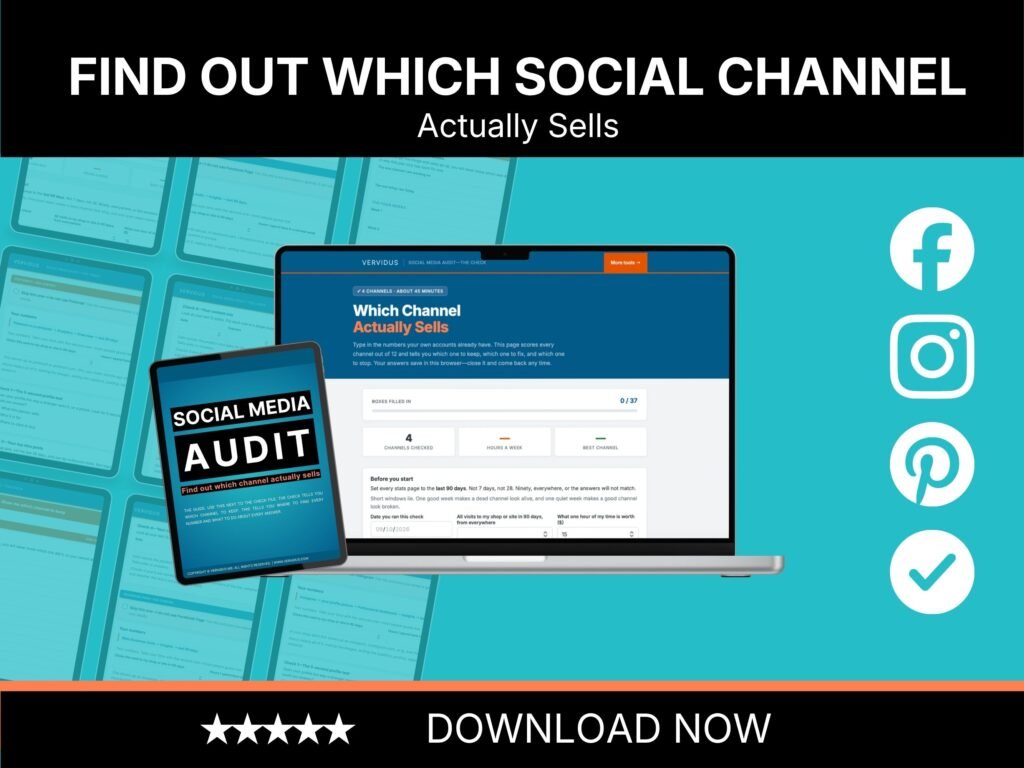
Last week you posted nine times. Do you know how many of those people ended up in your shop?
Almost nobody does. That is what this social media audit for small business is for. You open one page in your browser, type in numbers your own accounts already have, and it scores Instagram, Facebook and Pinterest out of 12 each. One hour later, you have one answer per channel: keep it, fix it, or stop.
Everyone tells you to post more. Nobody tells you what to stop.
Every guide you have ever read adds something. Post more. Add a channel. Try the format that is working right now. Try the one after that.
Not one of them has ever told you to stop doing something, because “do less” is not what sells courses.
So you keep three channels alive. Two of them have probably never sent a single buyer to your shop. You cannot prove which two, so you keep feeding all three.
What those posts are really costing you
Four hours a week is 208 hours a year.
If an hour of your time is worth $15, that is $3,120 a year, spent on posts you have never once measured.
This audit is $24 and takes an hour. If it tells you to drop one channel that was quietly eating two hours a week, you just bought back 104 hours—for the price of two coffees and one evening.
That is the whole trade.
What is included
- The check. One HTML file that opens in any web browser, on a phone or a computer. Type your numbers in, and it scores each channel out of 12, ranks what to fix first, and saves your answers in your browser so you can come back to it.
- The guide. A 17-page PDF. It shows you where every number lives, screen by screen, and what to do about every answer the check gives you.
- Four channel sheets. Instagram, Facebook Page, Pinterest, and a spare sheet for any other channel you run.
- A 30-day plan. One channel, one fix, four weeks, and a day-30 check.
- Instant download. Nothing is shipped.
Who this is for
You run your own shop or your own website. You post on two or three channels because somebody told you to, and you have never once checked which of them actually sends people to your shop. You have a few free hours a week and you are tired of spending them on posts that go nowhere.
It is built for people who sell their own products, on Etsy, on their own site, or both.
Who this is not for
- Social media managers looking for a client-facing audit template to sell on. This one audits your own accounts, not somebody else’s.
- Anyone who wants more followers. This audit measures clicks to your shop and nothing else.
- Brand new accounts with fewer than 12 posts. There is not enough there yet to score.
How it works
- Buy it and download both files straight away.
- Open the check in any web browser. Nothing to install.
- Set your stats to the last 90 days and type in the numbers. The guide shows you exactly where each one lives.
- Press the button. Every channel gets a score out of 12 and a verdict: keep it, fix one thing, or pause it.
- Read the matching section of the guide and do the one fix it names. Only that one, for 30 days.
What you will know by the end of tonight
Which channel earns its hours, and which one you can stop posting on without losing a sale.
What one click from each channel actually costs you in your own time. This is the number that makes the decision easy—when you see that a click cost you $9.75 of your own evening, you stop arguing with yourself.
One thing to fix, on one channel, for the next 30 days. Not twelve things. One.
What you need
- A web browser. Any browser, on a phone or a computer.
- A free PDF reader for the guide.
- The free analytics already inside your accounts: Instagram Insights, Meta Business Suite, Pinterest Analytics.
- Your shop or website stats: Etsy Shop Manager, then Stats. Or Google Analytics if you sell on your own site.
- No paid tools, no subscriptions, nothing to install.
Frequently asked questions
Do I need Google Analytics to use this?
No. If you sell on Etsy, your Shop Manager stats have everything you need. If you sell on your own website, Google Analytics is the place those numbers live, and the guide shows you the exact screen.
Does it work if I only run one channel?
Yes, and it is worth doing. A single channel can be the problem just as easily as three. You tick a skip box for the ones you do not use and they are left out of your results.
Does it cover TikTok?
Not with its own sheet. Three channels are covered in full—Instagram, Facebook Page and Pinterest—plus a spare sheet you can use for TikTok, YouTube, LinkedIn or anything else. The six checks are the same on every platform.
Will it save my answers?
Yes. The check saves everything in your own browser, so you can close it and come back. Nothing is sent anywhere, and there is no account to create.
Is this a template I can sell to my clients?
No. It is licensed for auditing your own accounts.
Is anything shipped?
No. Both files download straight away after you buy. Because they are digital files, there are no refunds once they have been downloaded.
My promise
Run the check and read the guide. If it does not name one channel to keep and one thing to fix, message me with your numbers, and I will go through them with you myself.
License
For your own business only. You may use both files for as many of your own accounts as you like. You may not resell them, share them, or deliver them to clients as your own work.
Do it tonight, not on the weekend
The weekend never comes. This takes an hour, and it is the only hour of social media work this month that is guaranteed to give you time back instead of taking more.
Once you know which channel to keep, the Marketing and Content Calendar gives you a dated plan for the year, so the channel you kept never goes quiet again.